All your cards
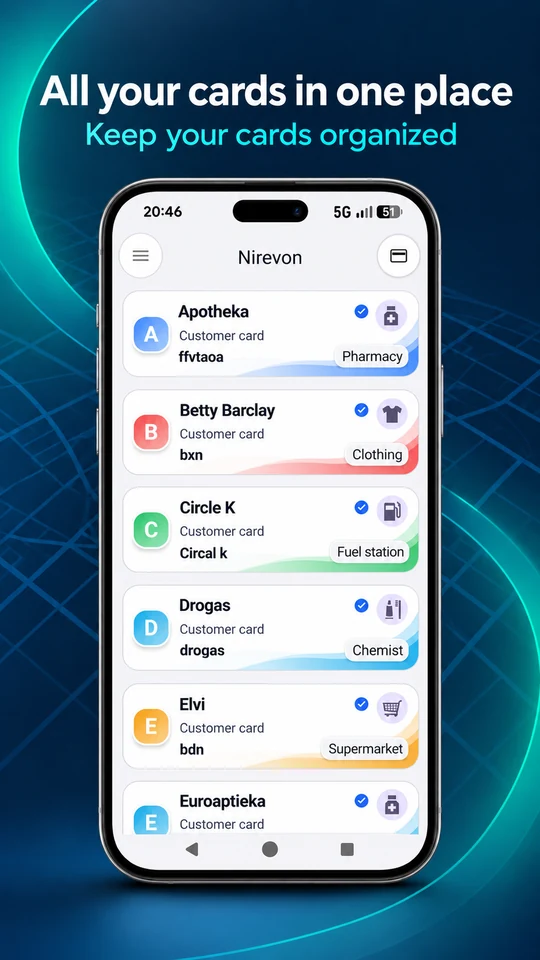
Keep your loyalty cards together, organized and ready for your next visit.
See it in the app NirevonCards
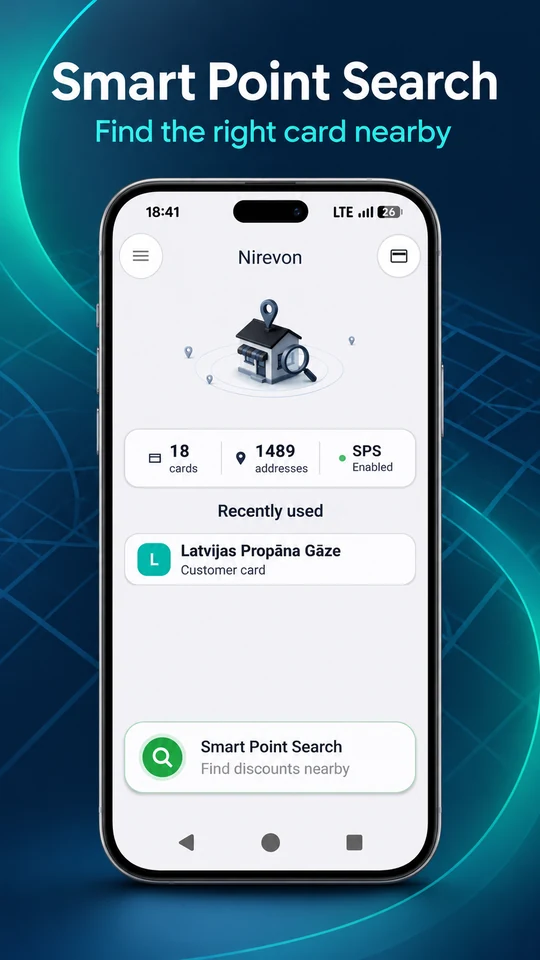
Your loyalty cards in one app. Nearby search matches saved cards using your GEO markers. Switch on Smart Point Search (SPS) to also use a prepared OSM-based store database.
Made for Android. Built around your cards.
A LIGHTER EVERYDAY
Keep cards together. Open a code when you need it.
Keep your loyalty cards together, organized and ready for your next visit.
See it in the appWith SPS on, nearby search matches saved cards using a prepared OSM-based GEO database and your markers. With SPS off, it uses only your markers.
Explore Smart Point SearchOpen your saved barcode or QR code when it is time to scan at checkout.
See it in the appCreate a backup of your card data and restore it when you need it.
See it in the app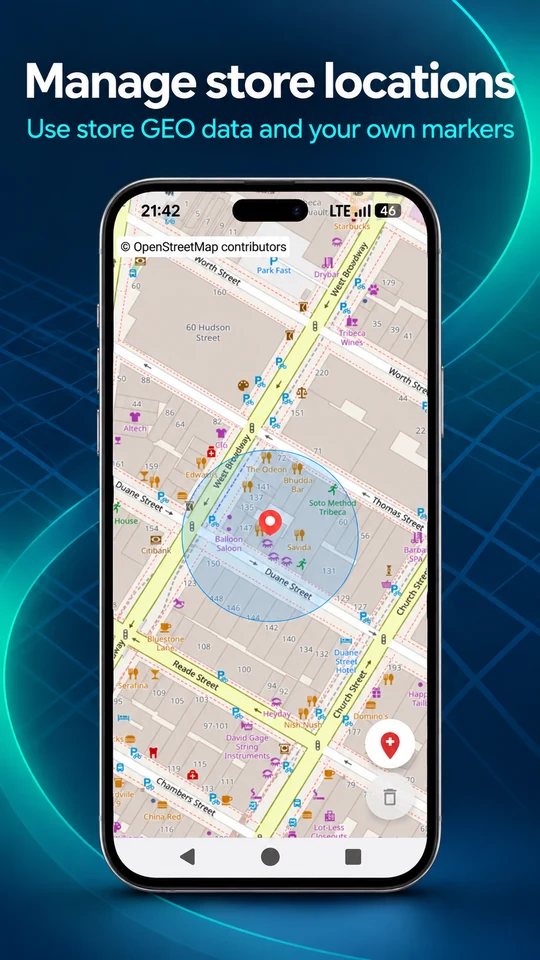
CARDS MEET LOCATION
The right card, near you.
When Smart Point Search (SPS) is on, the app uses a database of store GEO markers prepared from OpenStreetMap (OSM) data together with your own GEO markers. It determines your location, matches nearby suitable stores to your saved loyalty cards and helps you find the right card.
With your permission, the app uses your location for nearby search in either mode.
Search uses both the prepared OSM-based store database and your own GEO markers.
Nearby search continues using only the GEO markers you added to your cards. Without your own markers, it cannot find matching stores.
Open the matching saved card and show its code. Your saved cards remain available manually in either mode.
Choose the expanded store database or only your own markers. Results depend on saved cards and available GEO markers. Discounts and loyalty benefits are determined by each retailer.
A LOOK INSIDE
Explore six views of NirevonCards. Tap any image for a closer look.
Find your saved cards nearby.
Your collection, in one place.
Save a card to your collection.
Your code, ready to scan.
Connect your cards to places.
Keep a copy. Restore when needed.
MADE FOR YOUR PEACE OF MIND
Manage your saved cards, create backups and restore your data. When you need to leave, you can request deletion of your NirevonCards account.
WE’RE HERE TO HELP
Have a question or something not working as expected? Get in touch with NirevonCards support.
For technical issues, include your app version, Android version and a short description of what happened.